
Snapseed verified app listing
Official stores describe nondestructive editing, JPG and RAW support, selective adjustments, Healing, and film-style effects. Hands-on testing is pending.
Source-provided screenshots
These images come from the official apple app store listing. They show advertised features, not Mend Pixels test results.

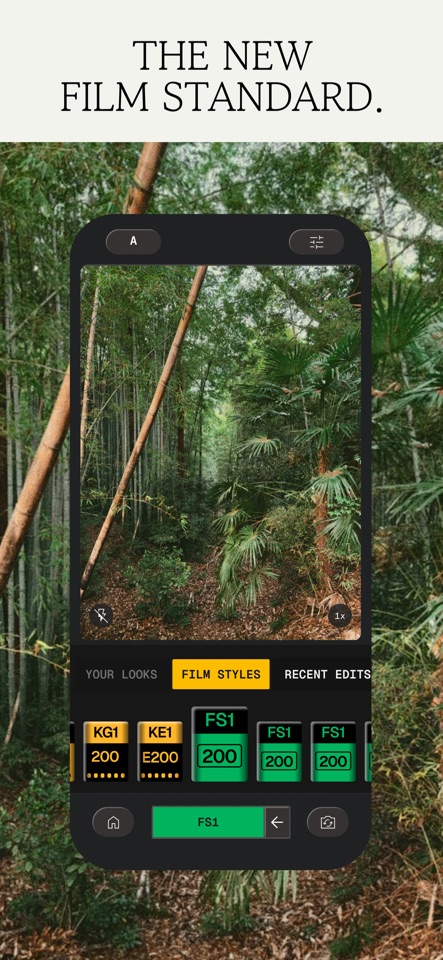
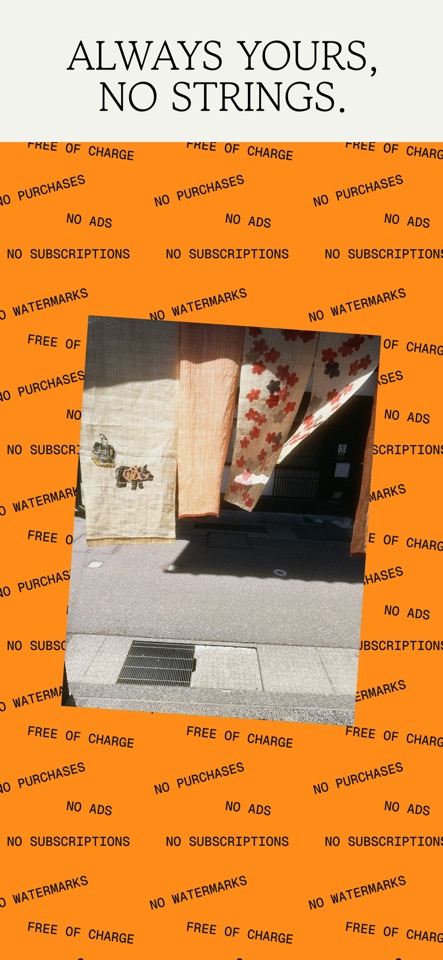
Publisher, availability, version details, stated features, price model, and official store links were checked for United States (English, USD) on August 12, 2026. This page publishes no score, ranked recommendation, or independently measured output claim.
What Snapseed is
Apple and Google list Snapseed by Google LLC as a photo editor for iPhone, iPad, and Android. The official descriptions cover nondestructive edits, JPG and RAW files, selective adjustments, Healing, text, perspective, and film-style effects. Mend Pixels verified those listing facts but has not tested the current workflow or output.
Officially described uses
- Nondestructive editing for JPG and RAW files
- Selective adjustments, masking, and Healing
- Looks, text, perspective correction, and film-style effects
Verification limits
- No retained Mend Pixels test corpus or firsthand workflow evidence is available yet.
- The listed capabilities come from Google's store descriptions and do not establish ease of use, output quality, or reliability.
- This listing verifies iPhone, iPad, and Android only; it does not provide a Windows, Mac, browser, or third-party APK download.
What the official listing says it can do
JPG and RAW editing
The official listings describe opening JPG and RAW files and using nondestructive edits that can be undone or reset.
Selective edits and repair
Google lists selective adjustments, a selective filter brush, masking, and Healing among the current tools.
Geometry, text, and effects
The store descriptions include crop, rotate, perspective, text, blur, grain, and film-inspired effects with adjustable controls.
Before using Snapseed
This is a source-preservation checklist, not a tested walkthrough of the current app interface.
- 1
Check the current offer
Open the official store link and confirm the price, billing period, trial terms, and cancellation terms shown for your account.
- 2
Keep the original
Work from a duplicate and retain the untouched source file separately.
- 3
Read the current privacy information
Review the store privacy or Data safety section before selecting a personal or sensitive photo.
- 4
Inspect any derivative
Compare the result with the source at full size and keep it as a separate edited file.
Before you export
- Compare the result with the untouched original.
- Zoom into faces, text, hands, jewelry, and straight edges.
- Check the output dimensions, format, watermark, and file size.
- Confirm whether the app is starting a trial or subscription.
- Save the result as a new file rather than your only copy.
Frequently asked questions
Is Snapseed free?
The US Apple listing is a free download, and the official Apple and Google descriptions state that Snapseed has no subscriptions, purchases, ads, or watermarks. This was checked on August 12, 2026; confirm the current store listing because offers can change.
Is Snapseed available on Android?
Yes. Google Play lists Snapseed by Google LLC under package com.niksoftware.snapseed. This page links directly to that official listing.
Has Mend Pixels tested Snapseed output quality?
No. Hands-on testing is pending, so this listing makes no claim about ease of use, output quality, reliability, or whether a particular edit will work.
Can I download Snapseed for Windows or use it in a browser?
This listing verifies official iPhone, iPad, and Android downloads only. Mend Pixels did not verify an official Windows, Mac, or browser editor and does not link to third-party APK sites.
Related guidance
Use these Mend Pixels resources for workflow context; they do not change this page's verified-listing status.
Official destinations
Store availability and offers can differ by country. These direct links are not affiliate links, and project links do not imply a Mend Pixels partnership.
Other verified app listings

Image Toolbox
AndroidOfficial sources describe Android batch processing, resizing, compression, format conversion, EXIF tools, filters, drawing, background removal, and AI tools. Hands-on testing is pending.
Image Toolbox 4.1.0 project, Apache-2.0; resized and converted by Mend Pixels. See source and license on the listing.View listing
Photomator
Mac, iPhone, iPad & Vision ProApple describes nondestructive adjustments, AI-assisted selections, repair, RAW support, and syncing across Apple devices. Hands-on testing is pending.
View listing
Remini
iPhone, iPad & AndroidOfficial stores describe AI enhancement for portraits and old, blurry, damaged, or low-resolution photos. Hands-on output testing is pending.
View listing
Pixelup
iPhone, iPad & AndroidOfficial stores describe enhancement, colorization, animation, avatars, and old-photo repair on iOS and Android. Hands-on output testing is pending.
View listing